.NET MAUI (Intermediate) Training Course
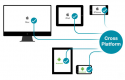
.NET MAUI (.NET Multi-platform App UI) is a cross-platform framework that empowers users to develop native mobile and desktop applications using C# and XAML.
This instructor-led, live training (available online or onsite) is designed for developers seeking to acquire intermediate-level proficiency in using .NET MAUI for building mobile and desktop applications.
Upon completing this training, participants will be able to:
- Explore advanced data manipulation techniques.
- Understand platform-specific code and customization through custom renderers.
- Master performance optimization, memory management, and internationalization support.
- Develop expertise in continuous integration and deployment pipelines for .NET MAUI.
Course Format
- Interactive lectures and discussions.
- Extensive exercises and practical practice.
- Hands-on implementation in a live lab environment.
Customization Options
- To request a customized training session for this course, please contact us to arrange details.
Course Outline
Introduction to .NET MAUI and Cross-Platform Development
Advanced Data Binding and Manipulation Techniques
Working with Databases and Local Storage
Consuming RESTful APIs and Web Services
Implementing Platform-Specific Code and Custom Renderers
Enhancing the UI with Custom Controls and Effects
Performance Optimization and Memory Management
Internationalization and Localization Support
Implementing Authentication and Authorization
Cross-Platform Testing Strategies and Best Practices
Continuous Integration and Deployment Pipelines for .NET MAUI
Summary and Next Steps
Requirements
- Proficiency in the C# programming language
- A solid understanding of object-oriented programming (OOP) concepts
- Familiarity with the .NET framework
Target Audience
- Developers
Open Training Courses require 5+ participants.
.NET MAUI (Intermediate) Training Course - Booking
.NET MAUI (Intermediate) Training Course - Enquiry
.NET MAUI (Intermediate) - Consultancy Enquiry
Testimonials (1)
My favorite part is question and answer with Sir. Jose. He is very knowledgeable and know the answer to our questions.
John Henry - Toyota Motor Philippines
Course - .NET MAUI (Intermediate)
Upcoming Courses
Related Courses
Advanced Flutter
14 HoursThis instructor-led, live training Mexico (online or onsite) is designed for developers who want to leverage Flutter to create cross-platform applications.
By the end of this training, participants will be able to:
- Migrate applications from Java to Flutter.
- Integrate Firebase backend services such as database, authentication, and storage.
- Create animations and advanced UI features for an app.
BLoC Pattern
14 HoursThis instructor-led, live training in Mexico (online or onsite) is designed for developers who want to learn how to use the BLoC Pattern to manage state across various applications.
By the end of this training, participants will be able to:
- Grasp the core concepts and architecture of BLoC.
- Create, test, and debug BLoCs.
- Understand the BLoC build context.
iOS, Android, and React Native Development Bootcamp (Intermediate to Advanced Level)
420 HoursThis instructor-led, live training in Mexico (online or onsite) is aimed at advanced-level developers who wish to learn advanced programming techniques in Swift, Kotlin, and JavaScript, implement scalable architectures, and create feature-rich apps with secure API integration, real-time communication, and advanced UI/UX.
By the end of this training, participants will be able to:
- Master Advanced Programming Techniques in Swift, Kotlin, and JavaScript, including closures, coroutines, and async/await.
- Design Scalable Mobile App Architectures using MVVM for iOS/Android and advanced state management in React Native.
- Build Feature-Rich Mobile Apps with secure API integration, real-time communication, and advanced data handling (Core Data, SQLite, Room, Firebase).
- Integrate Native Device Features such as camera, geolocation, and sensors, and create custom native modules in React Native.
- Create Advanced UI/UX with Animations and reusable components for responsive, highly interactive mobile experiences.
- Test, Debug, and Optimize Apps for performance and reliability using Xcode, Android Profiler, and React Native Debugger.
- Deploy Apps Using CI/CD Pipelines for continuous integration and automated releases to the App Store and Google Play.
- Complete a Capstone Project, developing and deploying a production-ready app to app stores.
iOS, Android, and React Native Development Bootcamp for Beginners
105 HoursThis instructor-led, live training in Mexico (online or onsite) is aimed at beginner-level developers who wish to dive into mobile app development.
By the end of this training, participants will be able to:
- Configure development environments for iOS (Xcode), Android (Android Studio), and React Native (Node.js, CLI, and Expo).
- Learn the key differences between native and cross-platform development and develop foundational knowledge in Swift, Kotlin, and JavaScript.
- Create responsive UI layouts using iOS Auto Layout, Android XML, and React Native Flexbox.
- Develop simple apps using Swift for iOS, Kotlin for Android, and React Native for cross-platform apps.
- Implement camera, GPS, and storage features within apps using React Native.
- Use Xcode, Android Studio, and React Native debugging tools to troubleshoot issues and run apps on simulators and real devices.
- Prepare and deploy apps to the App Store (iOS) and Google Play Store (Android).
- Work on group projects and gain peer feedback to improve app development skills.
- Build and showcase a fully functional cross-platform React Native app.
iOS, Android, and React Native Development Bootcamp (Beginner to Intermediate Level)
420 HoursThis instructor-led, live training in Mexico (online or onsite) is aimed at intermediate-level developers who wish to master mobile app development across multiple platforms.
By the end of this training, participants will be able to:
- Set Up Development Environments for iOS, Android, and React Native using Xcode, Android Studio, and React Native CLI/ Expo.
- Develop Native iOS and Android Apps using Swift for iOS and Kotlin for Android, creating apps with navigation and API integration.
- Build Cross-Platform Apps with React Native, leveraging a single codebase to create apps for both iOS and Android.
- Design Responsive User Interfaces using Auto Layout, XML, and Flexbox for iOS, Android, and React Native.
- Manage Data and State in apps using local storage solutions and handle API requests in all platforms.
- Incorporate Advanced Features like camera, geolocation, and maps into mobile apps.
- Implement Multi-Screen Navigation in iOS, Android, and React Native apps.
- Debug and Test Apps using tools provided by Xcode, Android Studio, and React Native.
- Deploy Apps to the App Store and Google Play Store.
- Complete a Capstone Project showcasing the skills learned by building and presenting a functional mobile app.
Advanced .NET MAUI
14 HoursThis instructor-led, live training in Mexico (online or onsite) is designed for developers aiming to master advanced .NET MAUI features and techniques to build mobile and desktop applications.
Upon completing this training, participants will be able to:
- Master advanced MVVM techniques, dependency injection, and architectural patterns.
- Customize and extend the .NET MAUI framework.
- Create reusable components and libraries, and apply advanced debugging and profiling techniques.
- Solve challenges in large-scale applications, such as synchronization, caching, and security.
Build Native iOS and Android Apps with Flutter
14 HoursIn this instructor-led live training in Mexico (online or in-person), participants will learn how to use Flutter to rapidly develop mobile applications that run on both iOS and Android devices.
By the end of this training, participants will be able to:
- Quickly install the framework, IDE, and other tooling to start developing.
- Understand and use Google's Dart language to quickly prototype a mobile app.
- Test and deploy mobile apps that run on both iOS and Android using a single code base.
- Customize the app using a rich set of widgets, layouts and animations.
Flutter Development Bootcamp with Dart
35 HoursThis instructor-led live training in Mexico (online or onsite) targets developers who wish to use Flutter to create and build high-quality mobile apps for Android, iOS, and other platforms from a common codebase.
By the end of this training, participants will be able to:
- Configure the necessary development environment to begin building Flutter apps.
- Utilize the Dart programming language to write code for app development.
- Leverage Flutter widgets to design aesthetically pleasing and user-friendly interfaces.
- Deploy and test applications across various platforms (mobile, desktop, web, etc.).
Flutter: Build Native Cross-Platform Applications with Dart
35 HoursFlutter is an open-source UI software development toolkit created by Google, designed for building natively compiled applications for mobile, web, and desktop platforms using a single codebase. It relies on Dart, a modern, object-oriented programming language also developed by Google, which is optimized for creating fast and expressive user interfaces.
This instructor-led live training (available online or onsite) is tailored for beginner-level developers who want to create beautiful, high-performance mobile applications using Flutter and Dart.
Upon completing this training, participants will be able to:
- Configure the development environment for Flutter and Dart.
- Build responsive and interactive mobile user interfaces.
- Leverage plugins to access native device features.
- Deploy cross-platform applications to both Android and iOS.
Course Format
- Interactive lectures and discussions.
- Extensive exercises and practical sessions.
- Hands-on implementation in a live laboratory environment.
Customization Options
- To request customized training for this course, please contact us to arrange your needs.
Ionic2
14 HoursThis instructor-led, live training in Mexico (online or onsite) is aimed at beginner to intermediate developers who wish to use Ionic 2 to build hybrid mobile applications.
By the end of this training, participants will be able to:
- Understand the fundamentals of Ionic 2 and its architecture.
- Build single-page and multi-page applications using Ionic 2.
- Customize apps with SCSS and third-party integrations.
- Test, deploy, and manage mobile app releases effectively.
Ionic 4 and Angular for Developers
21 HoursThis instructor-led live training in Mexico (online or on-site) is tailored for web developers interested in developing hybrid mobile applications with Ionic 4.
By the conclusion of this training, participants will be able to:
- Integrate native device capabilities into a hybrid mobile application.
- Utilize Angular and Ionic 4 to construct a hybrid mobile application.
- Execute a hybrid application on a mobile device emulator.
Ionic 6
14 HoursThis instructor-led, live training in Mexico (online or onsite) is aimed at web developers who wish to create a modern mobile application with Ionic 6.
By the end of this training, participants will be able to:
- Integrate native device features into a modern hybrid mobile application.
- Learn the fundamentals of Ionic.
- Learn to deploy Ionic applications to production.
- Run a modern hybrid application on a mobile device emulator.
Mobile App Development with Flutter and AI
12 HoursDeveloping mobile applications with Flutter and AI involves creating scalable, secure, and intelligent mobile solutions using contemporary architectures, UX/UI principles, and agile methodologies.
This instructor-led live training, available online or onsite, targets intermediate developers who want to build and deploy mobile apps using Flutter, integrate AI capabilities, adhere to security best practices, and follow agile workflows.
Upon completing this training, participants will be able to:
- Create robust mobile applications using Flutter, emphasizing UX/UI design.
- Implement agile development practices throughout the entire project lifecycle.
- Integrate AI functionalities, such as recommendation engines or chatbots.
- Design secure mobile architectures incorporating Firebase integration.
Course Format
- Interactive lectures and discussions.
- Numerous exercises and hands-on practice.
- Practical implementation in a live laboratory environment.
Customization Options
- To request customized training for this course, please reach out to us to arrange it.
IBM MobileFirst Platform for Hybrid Mobile Application Development
21 HoursIBM MobileFirst Platform (formerly known as Worklight Foundation) is a comprehensive suite of tools and services designed for building enterprise-grade mobile and tablet applications. Its client-side API supports native development for iOS (Objective-C), native Android (Java), J2ME, native Windows Phone (C#), and JavaScript, making it ideal for cross-platform hybrid or mobile-web applications. The platform can be deployed either on-premise or in the cloud.
During this instructor-led live training, participants will learn how to set up and utilize MobileFirst Platform to develop and manage hybrid mobile applications leveraging HTML5, JavaScript, and CSS.
Upon completing this training, participants will be able to:
- Install and configure MobileFirst
- Develop, test, and deploy cross-platform hybrid mobile applications.
- Leverage MobileFirst security mechanisms to protect applications.
- Over-the-air update applications within an organization, eliminating the need to rely on app stores.
- Administer and monitor mobile applications.
Audience
- Developers
Format of the Course
- A combination of lectures, discussions, exercises, and extensive hands-on practice in a live-lab environment.
Note
- This training is based on Mobile Foundation 8.0. To request a different version or other customization to this course, please contact us to arrange.
Xamarin for Cross-Platform Development
21 HoursIn this instructor-led, live training in Mexico (online or onsite), participants will learn key aspects of Xamarin as they take on the development of their own set of mobile applications for Android, iOS and Windows.